


6DL5260-0BX18-0YF5Цена на сайте указана розничная в ЕВРО без учета НДС.
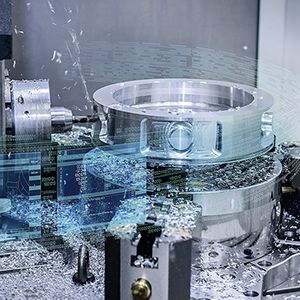
  SIMIT for simulating new machines during developmentSIMIT allows you to simulate the interaction between your machine tool or production machine and your automation system at all stages of product development, from commissioning through to sales and after-sales. Long before you finish developing a machine and building a prototype, you can simulate its performance using SIMIT. For this purpose, the automation system is simply coupled with a virtual behavioral model of the machine. This coupling has been optimized for high-performance machine tools and production machines with state-of-the-art control technology from Siemens such as SINUMERIK and SIMATIC. Your automation system – fully integratedSIMIT is a simulation system that supports a wide range of hardware and software interfaces to the automation system: PROFIBUS, PROFINET, PRODAVE, PLCSIM, OPC, and Shared Memory. If you want to connect the entire Control Unit, e.g. including the CNC, PLC and the Human Machine Interface to a machine model in SIMIT, you can simply use a hardware interface for PROFIBUS. The axis values of the CNC are transferred to the PLC using the software option SINUMERIK Integrate for engineering Run MyCC /ADAS and thus become visible for SIMIT. SIMIT provides consistent support for the exchange of data with the engineering environment of your automation system. The 2-channel interface module IM-PBDP-2 simulates PROFIBUS DP standard slaves and SIMATIC S7 slaves, including fail-safe SIMATIC slaves. Up to 125 DP slaves in a DP master system can be simulated per channel. The interface module is connected to the PC via Ethernet. SIMIT makes simulation as simple as it can beEven though computer simulation is often regarded as a highly complex process, you do not need to be a simulation specialist to work effectively with SIMIT. All you need to do is operate the ergonomically designed, graphical user interface of SIMIT, while the application itself processes all mathematical and IT procedures associated with the simulation invisibly in the background. Furthermore, a 3D VRML Viewer (integrated in SIMIT) permits simple visualization of machines and plants. In addition, the shared-memory interface SIMIT Ultimate can also be connected to tools such as the Siemens PLM Mechatronics Concept Designer – for extensive 3-D physical simulation. SIMIT – modeling the machineBased on a modular principle, the simulation model of the machine is created on the SIMIT graphical user interface by the joining together of individual components and Control Units. Simulation elements are simply dragged from the library and dropped into the machine model. The extensive basic library supplied with SIMIT provides you not only with standard arithmetic and logic functions, but also blocks for interfacing a broad range of I/Os of your automation system. Using SIMIT's component type editor, you can create completely new types of component and use them in your simulations. You can freely define the connections and states of these component types as well as their functional and graphical response, allowing you to work extremely efficiently even when your machine models are complex. |
| Каталог 2018 | Каталог 2017 | Каталог 2016 | Каталог 2015 | Каталог 2014 | Каталог 2013 | Каталог 2012 | Сертификат | Контакты | Карта сайта | Поиск |