


? APF modulesMaterial management The material management module comprises material master data management and material batch management. Material master data management supplies the material properties for the AS and OS. An OS editor is available for creating, editing and deleting material master data. Material master data can be loaded and compared manually or automatically over an integrated interface. The material batch properties are available to the AS and OS. An OS editor supports creating, editing and deleting material master data. Material batches can, however, also be created or deleted by the automation system. Material batch data can be compared or loaded either automatically or manually. Parameter management The parameter management module supplies the parameter data for the AS and OS. It has an OS editor for editing the parameter records, as well as an interface for loading and comparing data. The current parameter record can be displayed in a special faceplate. The parameters can be normalized or recalculated in the faceplate. Order management The elementary task of this module is to manage the orders (order data records) in an order list. The orders use the previously defined parameter records in the form of a recipe. The orders can be created and controlled via defined interfaces using the OS or AS. The creation and control of orders from the IT level can be implemented on a project-specific basis. Storage location management The "Storage location management" APF module coordinates the plant storage locations. This includes tasks such as:
Archive management (for material, parameter and order management) In the archive management module, archive data records are created, updated or deleted using function blocks in the AS. The archive data records can be automatically exported and saved, e.g. time-controlled. 
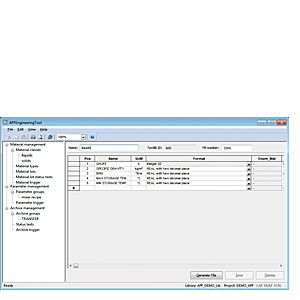
APF Engineering Tool APF Engineering ToolThe APF engineering tool is used to define project-specific data for the APF modules for material management, parameter management, order management and archive management, and to save it in user archives, for example:
Access from the automation system to the user archive is supported by AS function blocks generated and interconnected by the user specifically for this purpose. Preconfigured display objects (process displays and faceplates) allow the configured data to be operated and monitored during process control. Notes on delivery and use
|
| Каталог 2018 | Каталог 2017 | Каталог 2016 | Каталог 2015 | Каталог 2014 | Каталог 2013 | Каталог 2012 | Сертификат | Контакты | Карта сайта | Поиск |