|
| | |
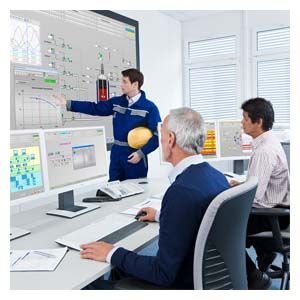
ibaPDA/ibaAnalyzer: Fault tracking log - recording and analysisibaPDA- Simple user interface with online signal visualization
- Client-Server architecture with multiple clients
- Client can be integrated in the OS visualization via ActiveX based on the .NET compatibility
- Numerous display options for measured data e.g. trend, oscilloscope, FFT, digital meter
- Central configuration dialog with flexible modular structure and integrated online diagnostics
- Built-in OPC server and OPC client functionalities
- Virtual signals (formula editor)
- Signal groups
- Technostrings for recording asynchronous, non-cyclic data, e.g. batch numbers, setpoints
- Combination with ibaCapture CAM/HMI for synchronous acquisition of camera images and HMI screen data
- Staggered licensing model based on the number of detectable signals (64, 256, 1024, 2048, unlimited)
- Several recordings in parallel (expandable)
- Complex trigger conditions for data recording
- Recording with ibaHD server as an endless strip chart recorder
- Digital output signals (alarm messages) also per TCP/IP
- E-mail notifications
- Time synchronization via DCF77, PTP (IEEE 1588), IEC 1131
- Multi-station operation with several ibaPDA systems
ibaAnalyzer- Graphic user interface with intuitive operation
- Automatic scaling
- Report generator for automatic generation of graphic and tabular reports in various formats (PDF, HTML etc.)
- Powerful mathematical formulae and operations
- Views: Y/T, X/Y, FFT, Y/length, 2D plan, 3D false colors and 3D grid
- Mathematically generated "virtual signals"
- Graphical digital filter editor
- Data export in ASCII format
- Automatic presentation of measurement files (slide show)
- Generation of analysis guidelines for use on several measurement files
- Combination of signals on a shared scale or on different scales
- Simultaneous consideration of analog and digital signals
- X/Y zoom, infinitely variable
- Special functions for length representations
ibaAnalyzer-DB- Data extraction of time-based and/or length-based measurement segments via ODBC in a database (e.g. Microsoft SQL Server, Microsoft Access, Oracle)
- Database query wizard (Query Builder)
- Database analysis with full scope of ibaAnalyzer instructions
ibaPDA-Request?S7- Modifying the measurement data to be recorded without making changes on the CPU
- ibaPDA integration via PROFIBUS DP slaves or PROFINET devices with the bus monitors ibaBM?DP or ibaBM?PN
- Optional online access to all operands of the S7?CPUs
- Cycle-precise acquisition of measurement data
ibaPDA-Interface-PLC-Xplorer- ibaPDA interface to the automation system's CPU via MPI, CP/PG or Ethernet TCP/IP
- Optional online access to all operands and symbols of the S7?CPUs
- Output of measured data via the selected communication connection (MPI, CP/PG or Ethernet TCP/IP)
Operating system platforms for all program packages- Windows 7 32/64-bit
- Windows Server 2008
- Windows Server 2008 R2
- Windows 8 32/64-bit
- Windows 8.1 32/64-bit
- Windows Server 2012
- Windows Server 2012 R2
- Windows 10 32/64-bit
|
|


